PUBLIC ALPHA IS LIVE
Download UO Ironveil
One official Windows launcher installs the client, verifies the game files and keeps Ironveil updated.
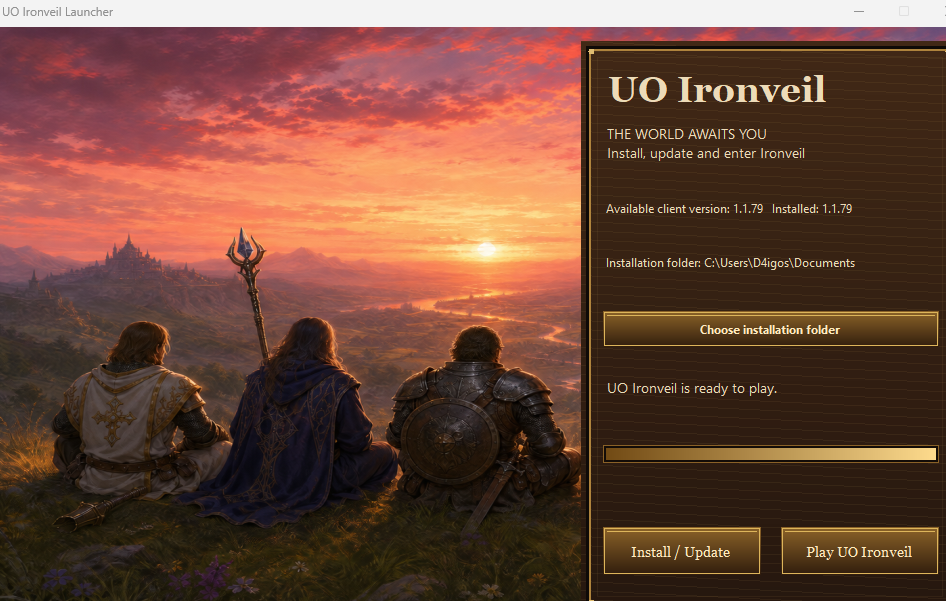
OFFICIAL WINDOWS DOWNLOAD
UO Ironveil Launcher
- Launcher
- 1.3.4.0
- Current client
- 1.1.79
- Platform
- Windows 64-bit
- Download size
- 113.5 MB
Already using launcher 1.3.0? You may keep opening it: launchers from 1.1.0 onward update themselves to the current release.
Verify this release
Official file: UOIronveilLauncher-1.3.4.0.exe
SHA-256: 5DF62CCE8F113CFD875989A73A767A0365BC3D7B05C89EAAE423942BF13CB5EB
FIRST INSTALL
From download to the world
The launcher supplies the Ironveil client and matching game files. A separate Ultima Online installation is not required.
- 1
Download the official launcher
Use the button on this page. The download always resolves to the latest launcher published in the official Ironveil manifest.
- 2
Open UOIronveilLauncher
Choose an installation folder that Windows allows you to write to, then select Install / Update. The launcher downloads and verifies the matching client and game data.
- 3
Wait for Ready to play
Do not close the launcher while it is installing. When every required file is current, the Play UO Ironveil button becomes available.
- 4
Enter Ironveil
Select Play UO Ironveil. Create or sign in to your IronveilID in the client, choose an account slot, then create or select your character.
GOOD TO KNOW
Launcher questions
Why can the launcher look smaller on another computer?
Launcher 1.3.0 and 1.3.4 use the same 980 × 600 layout. A high-resolution display, Windows display scaling or a full-desktop screenshot can make that fixed-size window occupy less of the screen. The current 1.3.4 release keeps the approved large layout shown above.
Where should I install Ironveil?
The default user folder is recommended. You can also choose another writable folder. Avoid protected Windows folders unless you intentionally want to grant administrator permission.
Do I download every update manually?
No. Keep the launcher and open it for every session. It checks and installs available launcher, client and game-data updates automatically.
Can I open ClassicUO directly?
Always use the Ironveil launcher. Direct client startup skips the normal update path and is blocked when the installed client or game data is not current.